Step 1 · The call
The phone rings at 9:40pm.
Answer it, then follow the job to the P&L. Count how many times somebody types it in. Zero.
Step 2 · The board
The job lands. You decide who goes, or you let it.
Two switches: whether the AI picks who goes, and whether it texts them. Ties go to the tech with the fewest jobs that day. No one quietly absorbs every call.
Marcus 2 today · HVAC
Dana 4 today · HVAC, plumbing
Luis 3 today · HVAC
Needs a tech 0
Answer the call in Step 1 and the job lands here.
Step 3 · The truck
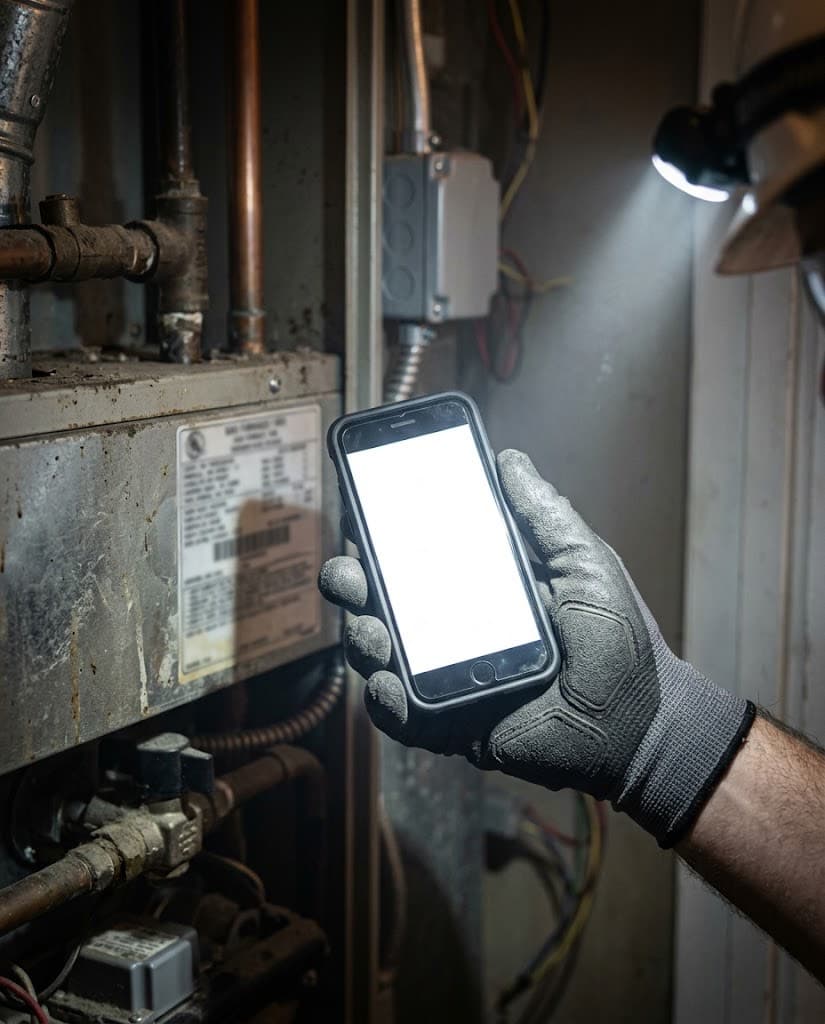
Your tech closes the job from a text.
No account, no password, no app. The link opens one job and dies on reschedule. That is the answer to "my guys won't use another app." You are Marcus now.
Step 4 · The office
Nothing reaches the customer until a person sends it.
The dispatcher opens the field report: the tech's words, the photos, the parts, the sign-off, and the draft invoice. The invoice wrote itself. Sending it is yours.
Field report · Marcus · job #2026-091
Run capacitor failed, reading 31/3 on a 45/5 µF. Replaced capacitor, checked contactor, verified 58°F supply air. Condenser coil heavily fouled; recommend cleaning in spring.Internal note
Customer was worried about cost. Quoted the capacitor before replacing. Mentioned the coil cleaning as a spring job, not tonight.
Photos on the invoice
Before, After, Nameplate. Supply-house receipt held back.Draft invoice · trade format
Invoice · D. Okafor · 1420 Mesa Verde Dr
| After-hours diagnostic | $189.00 |
| Repair labor, 1.25 h | $181.25 |
| Total | $370.25 |
Who signs the close
Built by someone who closed books for a living first.
Austin Semple, former controller
Three years as an auditor, then seven as a controller for small businesses, then Poof. The receptionist escalates on rules rather than a prompt, the close runs on evidence rather than checkboxes, and nothing reaches your books unseen — because that is how the work is supposed to go.
Step 5 · The job
A service call became a job on its own.
Completing the visit created the job, linked the customer, and tagged the invoice. Part cost from the catalogue, labor from the hours logged. Nobody tagged anything.
- 9:40 PMCall answered. Emergency by rule. Customer record created.
- 9:42 PMBooked 10:15 to 11:00 against real availability.
- 9:43 PMMarcus texted his job link.
- —On my way, recorded at the tap.
- —Arrived, recorded at the tap.
- —Complete. Draft invoice in the office, in Marcus's words.
- —Invoice sent, by a person.
- —On the Per-Job P&L. Typed in twice: never.
Thirty days free, then half price for three months. Your books closed within five business days of month end, or the next month is free.
Every call answered. Every job on the board.
Shops on Poof can have Poof answer the shop's line. An AI receptionist picks up, works out what the caller needs, books a real slot on a real tech's calendar, dispatches the tech, and escalates anything unsafe to a person. The revenue that used to go to voicemail lands on the board instead — and the job it creates gets costed like every other job on your P&L.
It answers, and it books
The agent knows your shop’s name, hours, and service area. It works out what the caller needs and puts the job on the board — at 9pm, on a Saturday, or while every tech is on a roof.
Safety calls are decided in code, not by AI
Gas smell, carbon monoxide, smoke, sparking, or an active alarm trigger an immediate emergency escalation and a scripted “leave the building, call 911” response. No heat below 45°F and no cool above 95°F are emergencies too. These are rules in the software — the AI narrates the call, it never decides what counts as an emergency.
It books against real availability
Slots come from your technicians, their weekly windows, and their time off, minus what is already booked, with drive-time buffer respected. Skills are a preference rather than a gate — a tech tagged for the work is preferred, an untagged tech is next — so a shop that has never tagged anyone is still never told it has no availability. The database refuses overlapping bookings outright, so two calls landing at once cannot double-book a tech.
It knows when to hand off
A safety trigger, an after-hours emergency, no slot inside the urgency window, a caller who asks for a person, a repeat caller within 24 hours, a cancellation threat, or low confidence — any of these route the call to a human.
Then it dispatches — or waits for you
Two independent switches: whether the AI picks who goes, and whether the system texts them. Leave both on and the assigned tech gets their job on their phone. Turn the first off and the booking still stands with the customer’s promised window — the job just lands under “Needs a tech” for whoever staffs your board.
The caller becomes a customer immediately
A booked job creates the customer record on the first call, not weeks later when someone finally invoices it. Matching runs on the last ten digits of the number, so the same household calling from a different phone format stays one customer instead of becoming two.
The work spreads across the crew
When several techs are free for the same slot, the job goes to whoever has the fewest jobs that day, then the fewest that week. Nobody quietly absorbs every call — which is the kind of thing that stays invisible until a good tech burns out.
A job nobody is going to raises the alarm
An appointment approaching its start time with no tech assigned escalates to you — whether that is because you dispatch by hand or because nobody was free when it was booked. Emergencies are assigned automatically regardless of how you have set the switches.
Versus an answering service
An answering service runs $200–$600/mo to take a message and, on a good day, drop it into a calendar. It doesn't know your books, which of your techs is certified for the work, or which calls are emergencies. Poof's receptionist books against real availability, escalates the unsafe ones by rule, and the job it creates gets costed like every other job on your P&L.
What it does not do
We set it up for you — we provision the number and the voice agent. It is not a switch you flip yourself. Customer-facing texts are not built yet: no booking confirmation, no reminder, no “your tech is on the way.” Your technician does get texted their job — your customer does not. It does not take payment on the call, does not optimize routes across the day's board, and does not clone your voice. There are no outbound sales calls. We would rather tell you that now than after you have signed.
Your tech closes the job from a text. The invoice writes itself.
The gap between the work getting done and the work getting billed is where trade shops lose money and time. Poof closes it without asking your techs to learn anything.
The tech gets a text
A link that opens exactly their job. No account, no password, no app to install — which is the honest answer to “my guys won’t use another app.” The link is signed and can be revoked, and rescheduling invalidates it automatically.
They work the job from their phone
On-my-way, arrived, and completed times recorded when they happen, not guessed at afterwards. What was wrong, what was done, what still needs doing. The equipment at that address is already on a list the tech taps to attach — an unlisted unit gets typed once and is on file for whoever attends next. Photos — before, after, nameplate, receipt.
Parts and labor get logged by the person who knows
Each line tagged as labor, part, or fee at the jobsite by the tech who put it there. Parts are picked from your own price list, so the invoice line lands on the right sales account, and the part’s cost rides in from the catalogue — never from the tech’s form, because a tech on a roof should not be looking up landed cost. That is what makes the margin on the job real, instead of something the office infers from a description a week later.
They tap Complete, and the invoice exists
A draft invoice is waiting in the office with the tech’s own words on it, ready for review. Nobody retypes a paper ticket. And the completed call becomes a job — linked to the customer, with the invoice tagged to it, so it reaches your Per-Job P&L without anyone remembering to tag anything.
Your office reads it before your customer does
The dispatcher opens the field report from the board — what the tech wrote, the photos, the parts and labor, the customer’s sign-off, the draft invoice it produced, and — on a maintenance visit — the plan visit it earned, or a one-click way to record one. The tech’s internal notes are shown marked as never reaching the customer. Nothing goes out until a person sends it.
Your supply-house receipt stays yours
Every jobsite photo is opted in or out of the customer's invoice individually, and the receipt showing what you paid for the part defaults to not printing. A photo of your cost can never reach a customer by accident.
An invoice that looks like trade work
Diagnosis, work performed, recommended follow-up, equipment, and warranty print under real headings, with the opted-in photos beneath them. Not a one-line “HVAC service call — $458” that invites a phone call about what it was for.
What the tech's page does not do
No GPS tracking — we are not building a way to watch your crew. It does not take payment on site. It records a typed name and a timestamp rather than a drawn signature. And it needs a signal: there is no offline mode, so a basement with no bars means the tech fills it in when they are back in the truck. Scheduling and re-routing stay on the dispatch board, not the tech's phone.
A down payment isn't revenue until the job is done. A plan isn't revenue until the visit happens.
Your bank feed says the money arrived. A controller says it isn't yours yet. Poof books it the way a controller would, and moves it to earned revenue the day the work is actually done.
The deposit on an install
A down payment is held as a liability from the day it lands, not booked as income. When the job is done it is released to that job’s revenue — so the install’s margin is right, and the month you took the deposit was never inflated by money you had not earned. The release previews before it posts, refuses to release money that was never categorized as a deposit, and warns you if the job was also invoiced.
The prepaid maintenance plan
A prepaid plan is deferred when it is sold. Each maintenance visit earns its share to the penny — automatically, the moment the tech taps Complete. A repair call on a plan customer does not count against the plan, and if a customer somehow has two open plans, your office picks which one the visit belongs to. The software does not guess.
Cancellation is a decision, not a write-off
When a plan customer leaves, your office records whether the unearned balance was refunded or forfeited, and the books show which. Poof deliberately does not decide that for you. Nobody should find out in March that prepaid money quietly disappeared in November.
Illustrative amounts. Built for prepaid plans — the annual agreement a customer pays for up front. A visit that was both released against a plan and invoiced on its own is flagged at month-end close, so it is caught before the books are signed.
Nothing reaches your books without you seeing it first.
Every write an AI proposes — the nightly categorization sweep, a request you typed into chat, a detector that noticed a job losing money — stages as a card and waits. Approving runs exactly what is on the card: the stored request, never a fresh interpretation of it.
The evidence, not the assertion
A card does not tell you what it decided. It shows you what it looked up.
The customer it resolved, the prior transactions for that merchant and whether they agreed, the amount, the account — gathered by code, never judged by the model. A card that says no history for this merchant is telling you why it is asking.
Approve part of a batch
A forty-row card is not all-or-nothing. Untick the three you want to look at and approve the rest in one tap. The ones you approved run; the ones you unticked are still waiting tomorrow.
Reject with a reason
And the reason is kept, not thrown away. It is the signal that stops a rule from covering that kind of work again, and the record of why it stopped.
Rules come from work you already read
Not a form you fill in from scratch and guess at. Poof derives the rule from the card in front of you — the merchant those rows share, the agreement in their history, a limit above the largest one — and shows your own 30-day record with that kind of change before you commit.
A rule that is wrong stops itself
A QuickBooks bank rule that is wrong keeps being wrong until somebody notices. Correct anything a Poof rule is about — not only the rows it happened to touch — or reject the kind of work it covers, and the rule pauses, tells you which correction stopped it, and waits for you to resume or revoke it. Every rule lives on one page with what it has handled and who granted it, and revoking is instant.
Autonomy is off until you grant it, one rule at a time. There is no global “let the AI run” switch, no ledger rule can ever send anything to a customer, and a rule that writes to your ledger must carry a dollar limit or it does not run. The phone is a separate channel a shop opts into: the receptionist talks to callers and books jobs inside rules written in code, and nothing granted in the books can reach it. What did AI change this month, and who allowed it is one page — the question your accountant will ask.
The close is a checklist with due dates, and the books tick it off themselves.
Seventeen tasks, dated in business days after month end. Thirteen of them complete on their own when the books prove them — and cannot be ticked by hand. Each open one says why in a sentence, and links to the screen that fixes it.
August, as the phone shows it
The trades default. Every organization edits its own template; every close keeps the copy it started with.
Bank accounts reconciled ticks itself when each account has a completed reconciliation through month end. Customer deposits released stays open until the deposit on that finished install has been released to its revenue — and tells you which jobs.
The close is a record, not a feeling
Each month’s close is one thing: who started it, where it stands — in progress, ready, signed, reopened — and what it took. Locking the period is the signature, and at that moment the close captures its activity: transactions reviewed, entries posted, decisions made by a person and by a rule, hours from start to signature. “August: signed September 5, sixty hours” is a sentence the books can say.
The reconciliation carries last month forward
A check written in July that clears in August is on August’s side, where it can be paired. The screen shows one figure — the same one the record stores — and a row you add mid-way counts. A check you cleared stays cleared when someone fixes the entry’s memo a month later.
A late task finds you
A task past its due date on an open close is a card in Approvals and one message per close per day on the channels you chose — Telegram, text, Slack, email — naming what is late. The sweep re-reads the books first, so it never nags about a bank account you reconciled that afternoon.
A clean tie-out proves the books as they stood
The thirteen tie-out checks run before a period is signed, not after. Review a transaction or post an entry after they ran and the step says run the checks again instead of reading “tied” off a stale result. QuickBooks Plus has no close checklist that the books tick off themselves, and no record of what a month took.
The rest of the back office
Payroll, sales tax, 1099s, the trucks and what's on them. In the same books.
Each one lands as a card with its evidence, like everything else Poof does, and waits for you.
Rules
Approve it twice, and Poof offers to do it for you.
Approve the same change on a few cards and Poof offers a rule. You say yes, you set its ceiling, and a page shows everything it did on its own, with Undo on each change.
See the featuresPayroll
Your payroll provider pays them. Poof makes the books and the 941 agree.
Forward your provider’s payroll report and it becomes one entry, matched to the bank withdrawals, with wages accrued into the month they were earned and the 941s, W-2s and state returns tied to the pay runs. You turn it on when you’re ready.
See the featuresSales tax
Sales tax by city, exemptions on file, and a return that ties.
Rates by city on every invoice, exempt customers with their certificates, a report by jurisdiction, and the return you file recorded and matched to its payment, so the close ties it out.
See the featuresAssets & loans
The van, its loan and its depreciation, on the books without a spreadsheet.
An asset register with the month’s depreciation approved as one card, loan payments split into principal and interest, and a trade-in (old van out, loan paid off, new van and loan in) as one entry you see before it posts.
See the features1099s
January’s 1099s, prepared from the year’s payments. W-9s collected by link.
Every contractor’s year against the $2,000 threshold, W-9s filled in online, each contractor’s copy and a summary for your CPA, and a checklist for whoever uploads them to the IRS.
See the featuresTruck stock
Count the van from your phone. Poof knows what went on jobs and what went missing.
Each truck is a stock location. Post a count and the parts used on jobs go to those jobs, the rest shows as shrinkage, and the close knows when each van was last counted.
See the featuresOne chain, from the call to the P&L
Count how many times somebody types the job in. Zero.
The phone gets answered
Poof answers your line when nobody can, works out what the caller needs, and books the job against real availability — your techs, their windows, their time off, minus what is already booked. Gas smell, smoke, sparking, an active alarm: those are rules in code, not a prompt, and they escalate instead of booking.
The tech closes the job from a text
The assigned tech gets their job as a link. No account, no app to install. On my way, arrived, parts used, photos, a typed name at the end. The office reviews it before anything reaches the customer.
The invoice writes itself
Parts come from your price list at catalogue cost, labor from the tech's own timestamps. The draft invoice lands in the office in the tech's words, and a person sends it.
The job lands on a per-job P&L
Revenue, parts, labor, and the supply-house receipt tie to the job that earned them. Nobody types it in twice. At month end the close runs on a checklist with evidence on each task.
Built for how shop work actually gets billed
A chart of accounts tuned to your trade
Templates for HVAC, plumbing, electrical, roofing, pest control, landscaping, garage door, and pool service — free to download, or the starting point when you set up your books in Poof.
Get the templates →Deposits and plans that stay unearned
A deposit on an install is held as a liability from the day it lands and released to that job's revenue when the job is done. Prepaid maintenance plans are deferred at the sale and earned per completed visit.
See how it works →A close you can sign in five days
Seventeen tasks, thirteen of them tied to evidence in the ledger, four that need a person. Closed within five business days of month end, or the next month is free.
See the close →One plan. $79 a month.
Every feature, including the receptionist, the field loop, and per-job profitability. It does not go up when you add a truck or a tech — the field-service tools shops compare us to are priced per technician per month. Thirty days free, then $39.50 a month for your first three paid months.
Questions shop owners ask
What does Poof for shops cost?
The same as every other Poof account: $79 a month, all 172 features. You start with 30 days free, and your first three paid months are half price at $39.50. There is no shop tier and no per-truck or per-technician pricing — the fee does not grow when you hire. Compare that to the field-service tools quoted per technician per month.
Is the AI receptionist something I turn on myself?
Not yet. The phone number and the voice agent are provisioned for you as part of setting up Poof for shops; there is no button in the app for a shop owner to flip. If that matters to your timeline, say so when you start a trial and we will tell you where it stands.
Does the AI text my customers?
No. Customer-facing texts — booking confirmations, reminders, "your tech is on the way" — are not built. The dispatched technician is texted their job link; that part is built and running. Those two are different things and we do not blur them. On the books side, no ledger rule can send anything to a customer either: invoices and credit notes are always a person's decision.
Do I have to switch off Jobber or Housecall Pro?
No. Keep using what your techs use today. You bring your Jobber or Housecall Pro export and your bank feeds into Poof; your dispatcher and techs see no change. What Poof replaces is the handoff into the books, not the tool your crew already knows.
What happens to a customer's deposit, or a prepaid maintenance plan, in my books?
It stays unearned until you have earned it. A deposit on an install is held as a liability from the day it lands and released to that job's revenue when the job is done — previewed first, with a warning if the job was also invoiced, and it refuses to release money that was never categorized as a deposit. A prepaid plan is deferred at the sale and earned per completed visit, automatically when the tech taps Complete. Cancellation is a refund-or-forfeit decision someone records, never automatic.
Does the technician need an account or an app?
Neither, and that is the point — it is the answer to "my guys will not use another app." The tech taps a link in a text. It does no GPS tracking, takes no payment on site, records a typed name and timestamp rather than a drawn signature, and needs a signal; there is no offline mode. Jobsite photos are opted into the customer invoice one photo at a time, and the supply-house receipt showing your cost defaults to not printing.
Who is this actually for?
Service shops that run on inbound calls and want the job, the invoice, and the books to be one chain instead of three. Most of the shops we built this with run 2 to 10 trucks. Nothing stops a one-truck shop or a larger one from using it — it is the same $79 plan either way.
The work disappears. The evidence doesn't.
Thirty days free, then half price for three months. Every feature. Or book a demo and bring your books.